
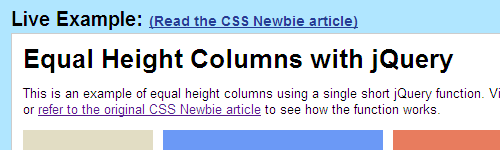
I’ve always liked that most of my articles here at CSS Newbie have live demos — places where you can go and check out the code working in the real world. It’s a nice complement to the tutorials, I think.
But one think I’ve never liked about this setup is that my demos have no visual consistency. Some have background colors, some don’t. Some are centered while others are left-justified. Almost none of them show the source in the page itself. And not a single one of them is “branded” CSS Newbie.
This has always been a background annoyance, until a few weeks ago when I installed Google Analytics on my example pages and realized they were getting a lot more traffic than I expected. And further, many people visited the example pages without ever first seeing the corresponding CSS Newbie article. So people were getting examples with no context, and no way to respond.
I wasn’t cool with that.
So, I took some time and added a new wrapper to my CSS Newbie example pages. It solves the branding problem, makes tracking more consistent, and makes the example pages more useful to boot.
Now when you visit a CSS Newbie demo page, you’ll see the live demo on the left, and the code generating that demo on the right. It’s as easy as copy/paste to get the code for your own, without having to view the source. And to make things even simpler, there’s a link to download the source code to your computer.
Here’s a few example pages to try out:
- Make an Entire List Item Clickable
- Equal Height Columns with jQuery
- Building a jQuery Popout Ad
- Styling Blockquotes
- Easy Zebra Striping Tables
So please, take a look at the new CSS Newbie example pages. Let me know what you think: what you like, what you don’t, or what you’d like to see added in the future.